

Product
See what your agent remembers
Start the server with --enable-web to browse the projects you can access: pages, links, waiting mail and search. There is no page editor; account actions and root approval of proposed edits are available.
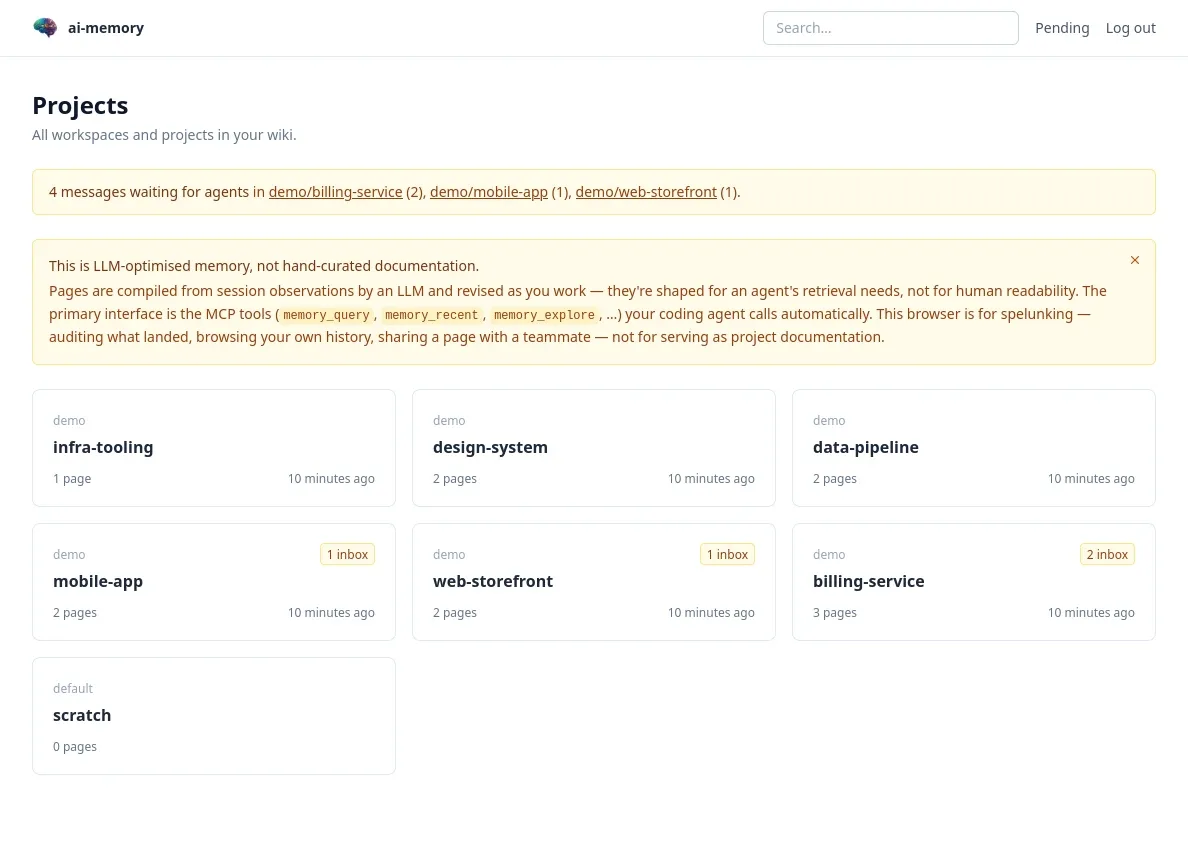
Every project at a glance
Workspaces and projects as cards, with a page count and the time of the last change. An amber badge means mail is waiting for an agent there.
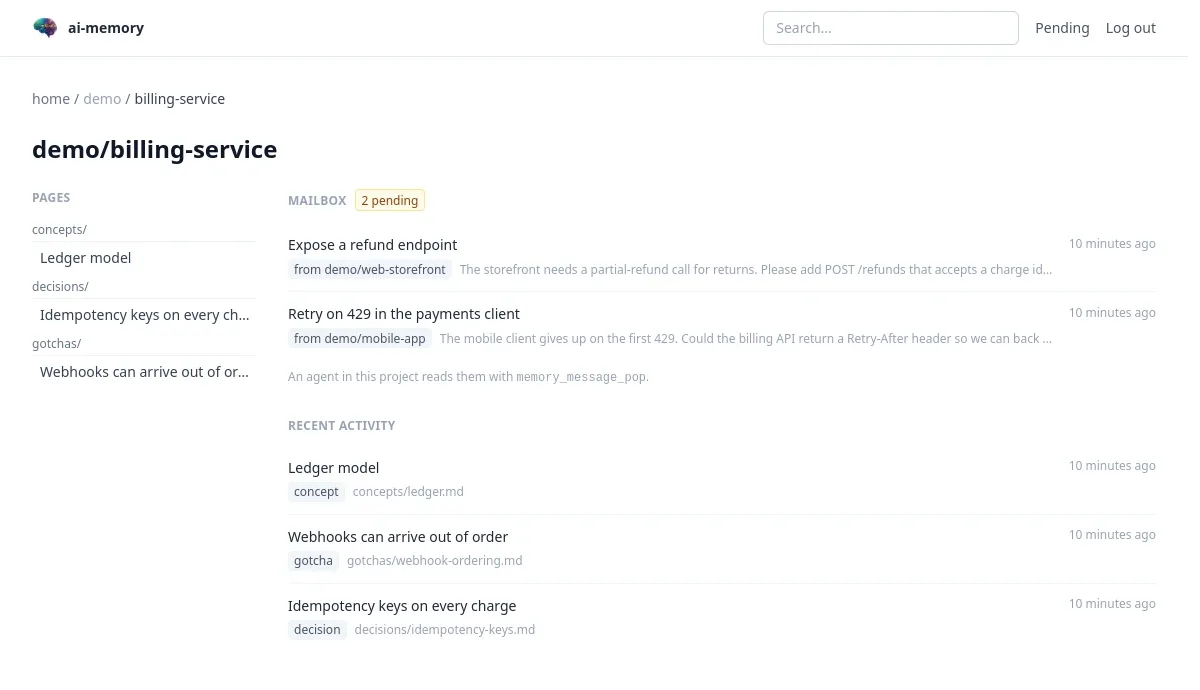
A project: its pages, its decisions, its mail
The sidebar lists the folders, concepts, decisions, gotchas and sessions, with the newest pages in each. The mailbox shows messages other projects sent and nobody has picked up yet.
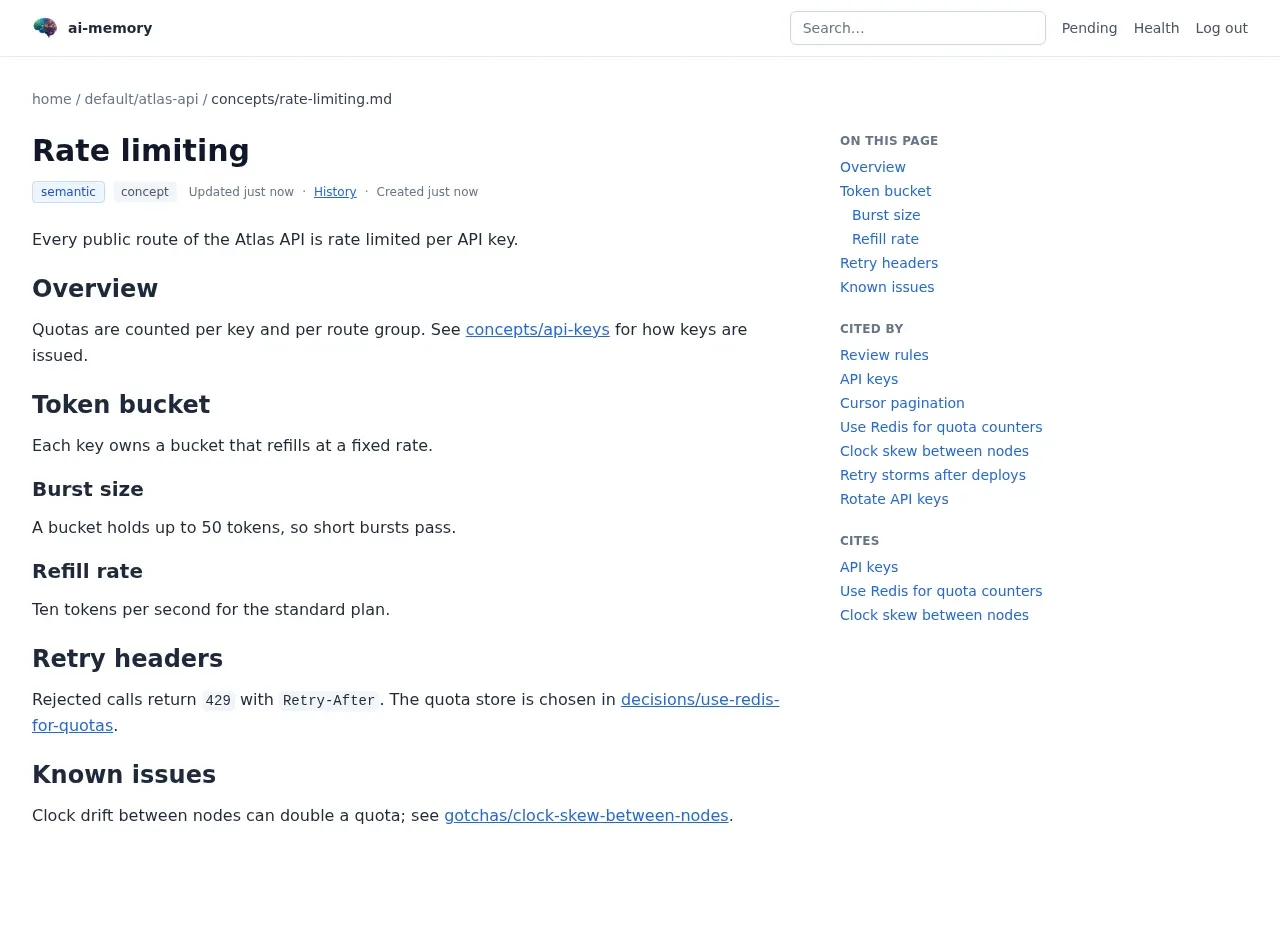
A page, and what points at it
Each page carries its outline, the pages that cite it and the pages it cites, so a decision can be traced to the gotcha that caused it. A History link lists every stored version.
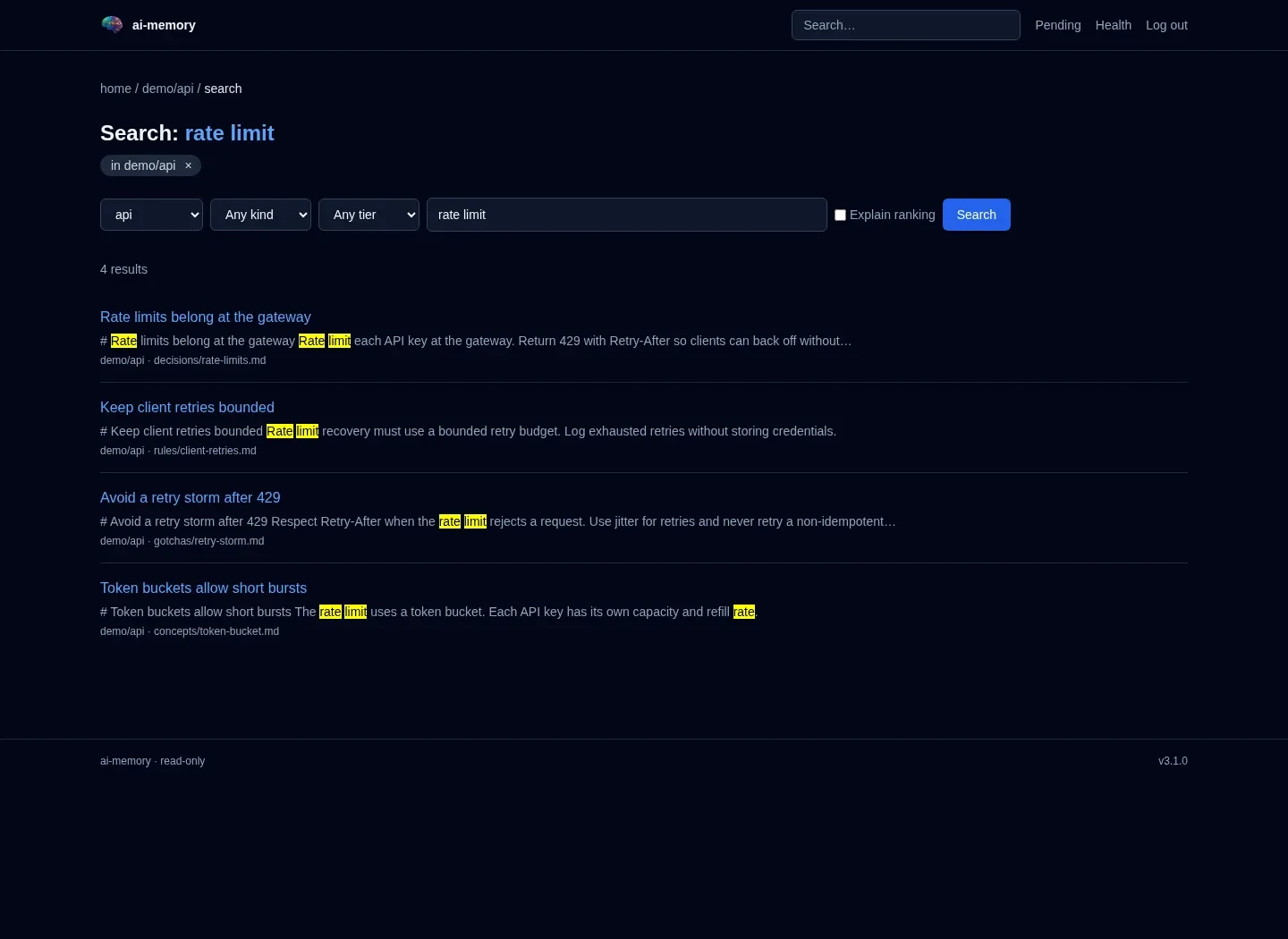
Search that ranks like the agent
A project search runs the same ranker as memory_query. Kind and tier filters narrow its streams before fusion. Tick “Explain ranking” to see each stream’s contribution. Cross-project search uses full text over wiki pages.
History, replay and health
Three views for the question “what happened here?”
Page history
Every stored version of a page, newest first, superseded ones included, with a diff between any two. A version a concurrent write replaced stays visible.
Session replay
A project lists its recent sessions, and each opens a timeline of its observations in capture order. With JavaScript, a slider and the j and k keys step one at a time.
A health page for root
Hook counters since the server started, the writer queue, the spool, the consolidation queue, the embedder and both providers. Anything failing is listed with the command that fixes it.
The same data is available as JSON under /api/v1, and serve --enable-api mounts the API without the browser UI.
Optional management console
/manage brings user administration, session inspection and personal MCP keys into the browser. It requires both a build with management-ui and --enable-management-ui at startup; the standard release Docker image does not include it. Users can purge exactly owned sessions in projects they may write; admins can purge any session. Build and deployment guide.
Password resets and disabled accounts end browser sessions, but do not revoke self-issued API keys. Revoke those separately. Session purges can leave earlier content in git history, backups and native transcripts.
Questions and answers
Is the web UI on by default?
The serve command leaves it off unless --enable-web is set. Services installed by setup enable the wiki browser. The separate management console needs its own build feature and runtime flag.
Can I edit a page in the browser?
There is no page editor. Use memory_write_page, the CLI or the Markdown file. Root can approve or reject pending edit proposals in the browser.
Who can see what on a shared server?
With database-user accounts, restricted projects are visible to root, their creator and users with a read or write grant. Another operator’s session timeline stays hidden; health and pending views are root only. Trusted-proxy deployments must enforce access at the proxy.
Does it need JavaScript?
Page content renders without JavaScript. Sign-in, password changes and proposal approval use JavaScript, as do replay controls and theme switching.
Give your agents a memory today.
Free and open source under the MIT license. The default memory features need no model API key; your coding agent may require its own account.