
Product
Your habits follow you to the next project
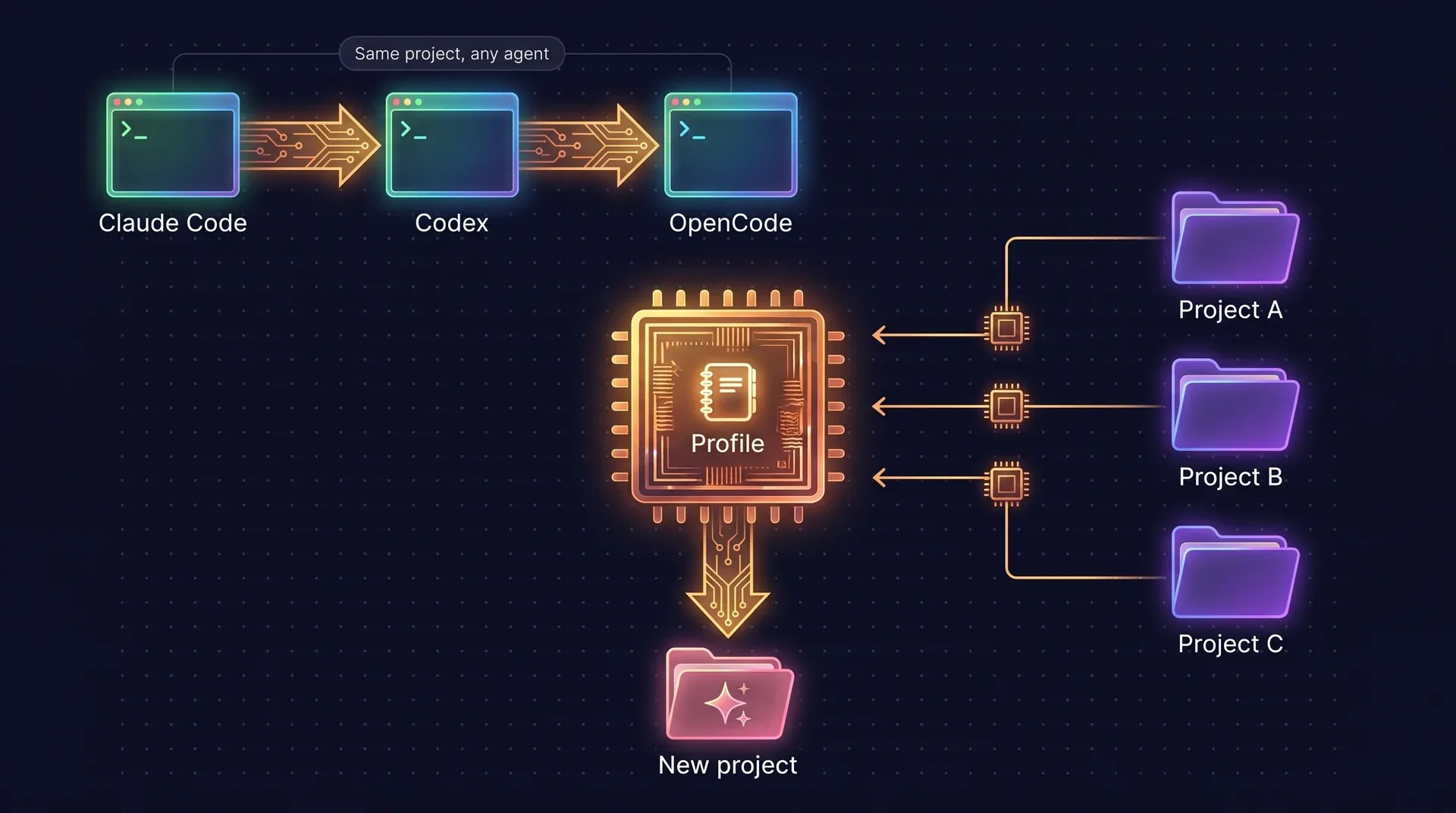
Each project keeps its own memory, so you switch agents without re-explaining anything. The profile carries the other half: how you usually work, learned from your projects and handed to every new one at session start.
Two moves, one memory
Sideways, from one agent to another, the project’s memory stays. Forward, from one project to the next, the profile goes with you.
What a new session hears first
A session starts with a short fenced block, ahead of the handoff and the project brief: one line per entry, each naming the page it came from, filtered by the stack the project uses. It stays byte-identical between sessions, so it sits in the harness’s cached prompt.
> 🧭 ai-memory: your usual choices (cross-project profile)
> Your usual choices from other projects. Use them as defaults when this
> project's rules and the user say nothing; say which default you applied.
- [javascript] Use pnpm, not npm. (profile/tools/pnpm.md)
- Keep integration tests in tests/suite. (profile/testing/layout.md)
Rules first, memory as the fallback
- Your instructions in the conversation
- The repository’s rules file: AGENTS.md, CLAUDE.md or the harness’s own
- The project’s memory: its pages, rules and decisions
- The profile: what you usually do across projects
When a rules file says npm, a profile that says pnpm does not apply. When nothing says, the agent uses the profile instead of asking again, and says which default it applied.
How it learns, with no LLM
A server pass runs after each session ends and once an hour. It reads what is new and nothing else.
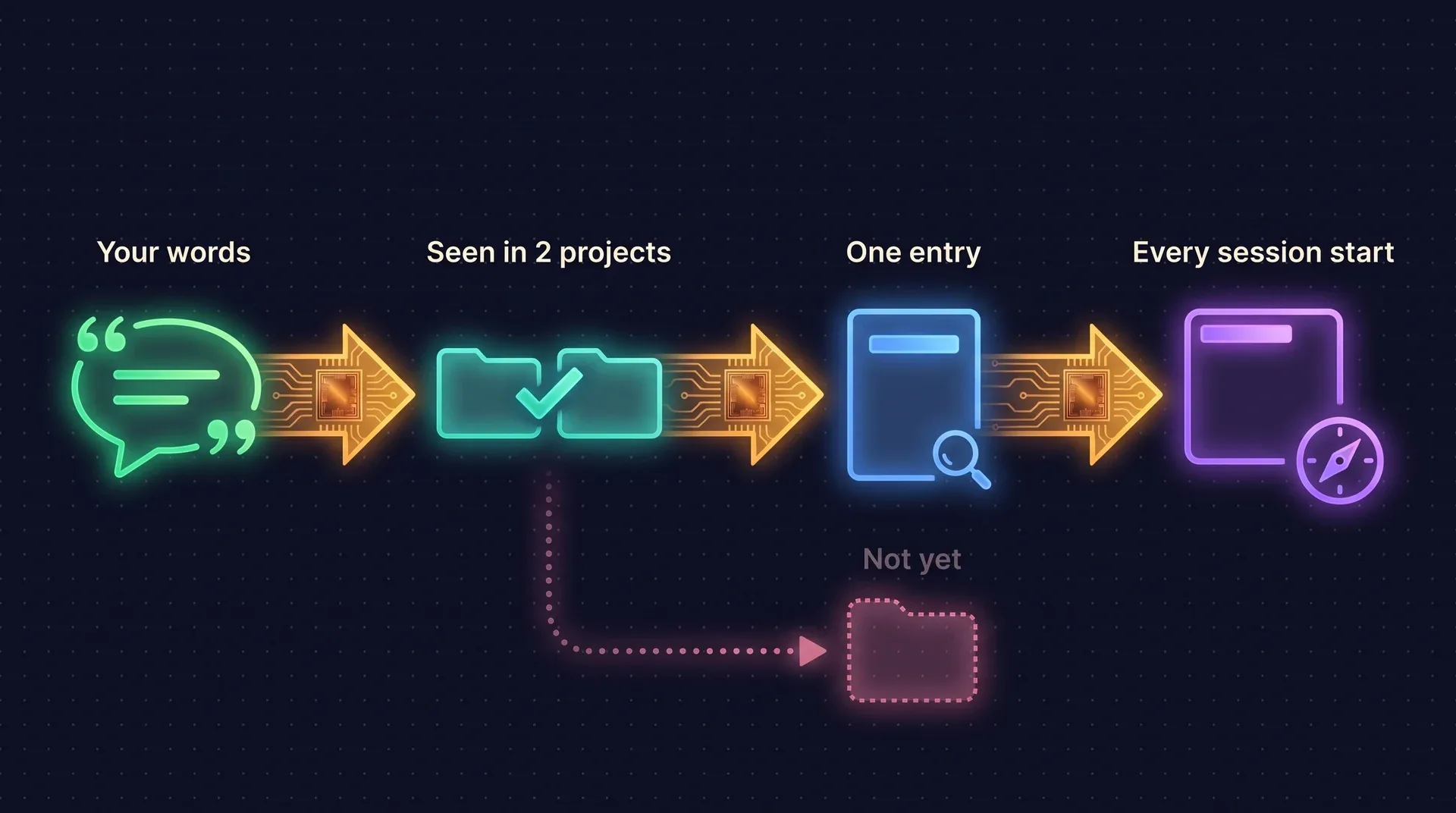
Your own words
Prompts that read as a preference: always, never, prefer X over Y, from now on, by default, and the Portuguese forms. Questions, code blocks and anything a tool printed are never read.
Curated pages and the stack
The project’s curated rules, decisions, gotchas and procedures count too, and its languages become stack entries. Pages auto-approved by the scheduler are skipped; human-approved pages still count.
Two projects, or one general statement
A choice joins the profile when it shows up in at least two projects, or when you scope it beyond the project yourself, as in “in all my projects”. The newest ruling wins, and the old one stays in page history.
Evidence on every entry
Each entry records the projects and dates it came from, your words, how many projects back it and its confidence. With an LLM configured, the pass classifies and restates entries through schema-checked calls and falls back to the word lists on any error.
A new project starts ahead
A repository with no memory yet gets a larger baseline, and one command turns your usual choices into rules everyone sees.
ai-memory profile apply writes the entries that fit the repository into a managed block of its rules file, between two markers, and touches nothing outside them. Run it again and only the block changes. It is the only command that writes into your repository, and it runs only when you run it.
# see the block and the file it would go to
ai-memory profile apply --dry-run
# write it
ai-memory profile apply
# take it out again
ai-memory profile apply --remove
You stay in control
Entries are ordinary wiki pages: markdown in git, versioned on every change.
Forget, and it stays forgotten
ai-memory profile forgetremoves an entry, and the pass will not recreate it from the same evidence. It comes back only if you say it again.Your edits win
An entry you edit by hand is yours from then on. The pass never rewrites a page it did not write, or one that changed since.
Client and NDA work stays out
A project’s marker can set
contribute = falseso nothing is learned from it, andconsume = falseso it never receives the digest.Review and rebuild
profile reviewshows each entry with its evidence and the habits still short of the bar.profile rebuildre-reads every project from the start, never removes an entry, and leaves what you edited or removed alone.
# this project neither teaches nor receives the profile
[profile]
contribute = false
consume = false
One person, one profile. A team, by consent.
On a single-operator server the profile is on and shared by every workspace. On a multi-user server it stays off until you enable it.
Private per operator
Enabled on a shared server, each person gets a restricted profile that only they and root can read. Nothing one person’s agents learn reaches another’s.
A team profile needs two voices
share = "global"or"workspace"makes a profile everyone receives. A habit joins it only on evidence from at least two operators, and the digest is headed team defaults, so the agent knows they are shared.Work and personal apart
share = "workspace"keeps one profile per workspace, for two clients or for work and home.
# a shared server: one private profile per operator
[profile]
enabled = true
share = "auto"
min_projects = 2
Questions and answers
Does the profile override my project’s rules?
No. Your instructions come first, then the repository’s rules file, then the project’s memory. The profile is the last fallback, used only when nothing more specific speaks, and the agent says which default it applied.
Does it need an LLM?
No. Harvesting and converging work on word lists and the newest statement. With a provider configured, the pass uses it to classify and restate entries through schema-checked calls, and falls back to the zero-LLM path on any error. Set llm = false to keep it fully offline.
Can it learn something from a client’s code?
It reads your own prompts and the project’s curated pages, never tool output, so text an agent merely saw cannot become a preference. A project with contribute = false in its marker is left out entirely, including evidence gathered before.
What happens on a shared server?
The profile is off until an operator enables it. Then each person gets a private profile only they and root can read. A team profile is a separate choice, and it admits a habit only on evidence from two operators.
Can I turn it off?
Yes. enabled = false or share = "off" in the server config removes it entirely. inject_on_session_start = false keeps the digest out of session start while the profile still answers queries.
Give your agents a memory today.
Free and open source under the MIT license. You need no account and no API key.